

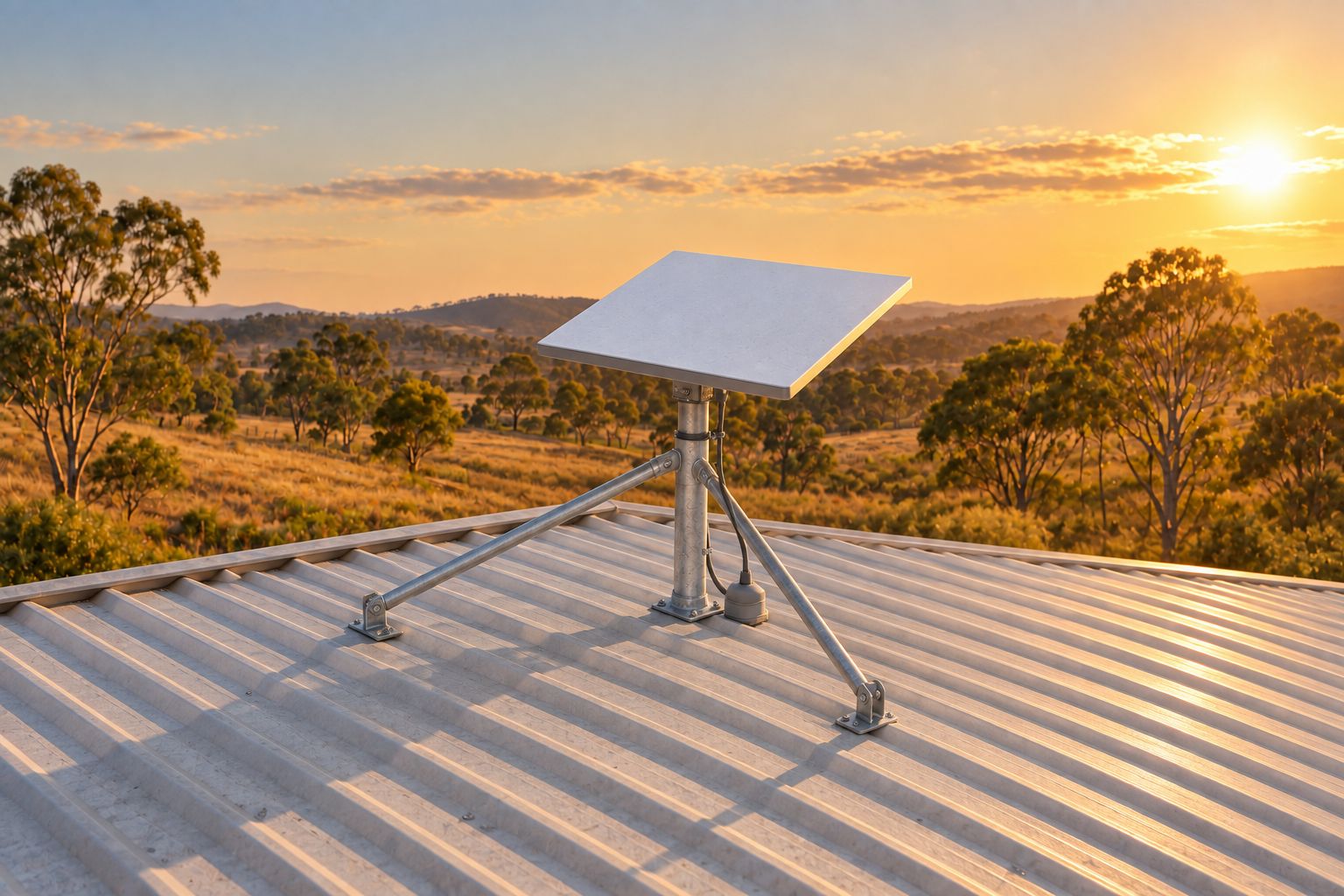
The short answer
Plan the Starlink position and the full cable route as one job. A useful location needs a clear sky view, a mounting arrangement suited to the exact kit and building, and a protected route to the indoor equipment. Then check where you need Wi-Fi. A dish position with good satellite visibility can still leave the router too far from the rooms where you work.
Identify the kit before choosing a mount
Send the model name or a clear photo of the kit label with your enquiry. Starlink has several hardware families, and a mount or cable intended for one kit may not suit another. A product photograph without a model name can leave important details unclear. If you have not ordered equipment yet, say so rather than selecting accessories on the assumption that every kit uses the same fittings.
For a Logan property, include the suburb, building type and whether the intended indoor equipment is in the house, home office or a separate building. These details help define the job. They do not establish whether a particular address has service availability or whether a proposed mounting surface is suitable.
Check the sky view before settling on a location
Starlink recommends using its app to check for obstructions at a proposed location. Trees, roof edges and other objects can interrupt the connection as satellites move across the sky. Compare accessible positions and save the app result. A scan taken at ground level is a preliminary check; it does not confirm the view from a proposed roof mount.
Discuss nearby trees and whether the chosen position can be inspected or serviced later. Avoid selecting a high location solely because it looks clear from the driveway. The view of the sky, safe access and the structure available for a mount all need to work together. No location check guarantees a particular speed or uninterrupted service.
Ask what the mounting proposal includes
- The exact Starlink model and a compatible mount or adapter, with parts clearly identified.
- The proposed fixing location and how its suitability will be checked before installation.
- Access equipment and any limits caused by roof height, roof condition or the surrounding site.
- How any entry point will be weatherproofed and what making-good work is included.
- Who will obtain permission if the work affects a rental property, shared roof or common area.
- How the equipment and cable can be reached for later inspection without an improvised access route.
Measure the actual cable route, including the turns
The distance from the dish to the router is rarely a straight line. Sketch the proposed path down the building, through the agreed entry point and to the indoor equipment. Mark changes of level and obstacles. Ask the installer to confirm the measured route and the compatible cable option before you buy a longer cable.
Starlink advises against modifying its cable or joining another cable onto it to add length. Its guidance also warns against kinks, trapped cables and damage, and says the cable is not rated for burial or use under water. Check the guidance for your exact kit instead of treating a connector shape as proof that an ordinary extension will work.
A cable temporarily passed through an open window does not resolve the permanent route. The window may pinch it when closed, and the opening still needs a suitable weatherproof entry. If the proposed route involves a detached office, driveway or garden, describe that at the enquiry stage so the pathway and the separate network connection can be assessed.
Choose the indoor network position deliberately
Decide which rooms and devices need a dependable connection. Put a simple floor-plan sketch beside the cable-route sketch. Mark the desk used for video calls, the main television and any separate workspace. That makes it easier to discuss whether the indoor equipment position suits actual use.
Satellite reception and indoor Wi-Fi coverage are separate parts of the job. A useful handover checks connectivity near the router and in the locations agreed in the quote. A far room or detached building may need a separate Wi-Fi or wired-network assessment. The mounting quote should say whether that work is included.
Any regulated fixed customer cabling needs an appropriately registered cabler. Existing data points, new cable runs and provider-owned equipment have different boundaries. Confirm the required work and qualifications before booking; this guide does not claim a particular registration or permission.
Send these details for a useful installation quote
- The property suburb, building type and whether you own or rent the premises.
- The Starlink kit model, what equipment you already have and any accessories already purchased.
- Ground-level photos of the proposed mounting area, plus an obstruction scan if safely available.
- A rough cable-route sketch, indoor equipment location and any separate building involved.
- The rooms and devices that need connectivity, and any existing network equipment or data points.
- Known access restrictions, shared-property permissions and the work you want included in testing and handover.
Keep installation and the Starlink account separate
Hardware installation does not activate a subscription, transfer an account or resolve a provider outage. Check your account, service plan and activation questions with Starlink. Keep passwords and payment details out of the quote request. If you need help connecting your own equipment, describe the task without sending account credentials.
Before accepting a quote, ask which parts, mounting, cable routing, indoor setup and tests it covers. Confirm how any additional work will be approved if inspection changes the proposed route. A clear scope lets you compare the installation work and any further Wi-Fi or cabling work on their own terms.
Sources used for this guide
Published guidance was checked on 21 September 2026. These sources support the technical and safety points above. The planning checklists help prepare an enquiry; the appropriate work still depends on the property, equipment and agreed scope.
- Starlink: Standard accessories guide Mount and adapter compatibility, roof types and manufacturer-stated limits.
- Starlink: checking for obstructions Official app-based obstruction checks and limitations of the proposed sky view.
- Starlink: cable lengths and routing indoors Kit-specific cable information and cautions about extensions, cable damage and burial.
- WorkSafe Queensland: domestic roof spaces Electrical hazards when entering or working in domestic roof spaces.
- ACMA: find a registered cabler Registration and completion-document requirements for applicable customer cabling.